# iPad以及iPhone單頁放大頁面閱讀翻頁設定

敬請用戶於HamiBookAPP進行以下操作步驟設定

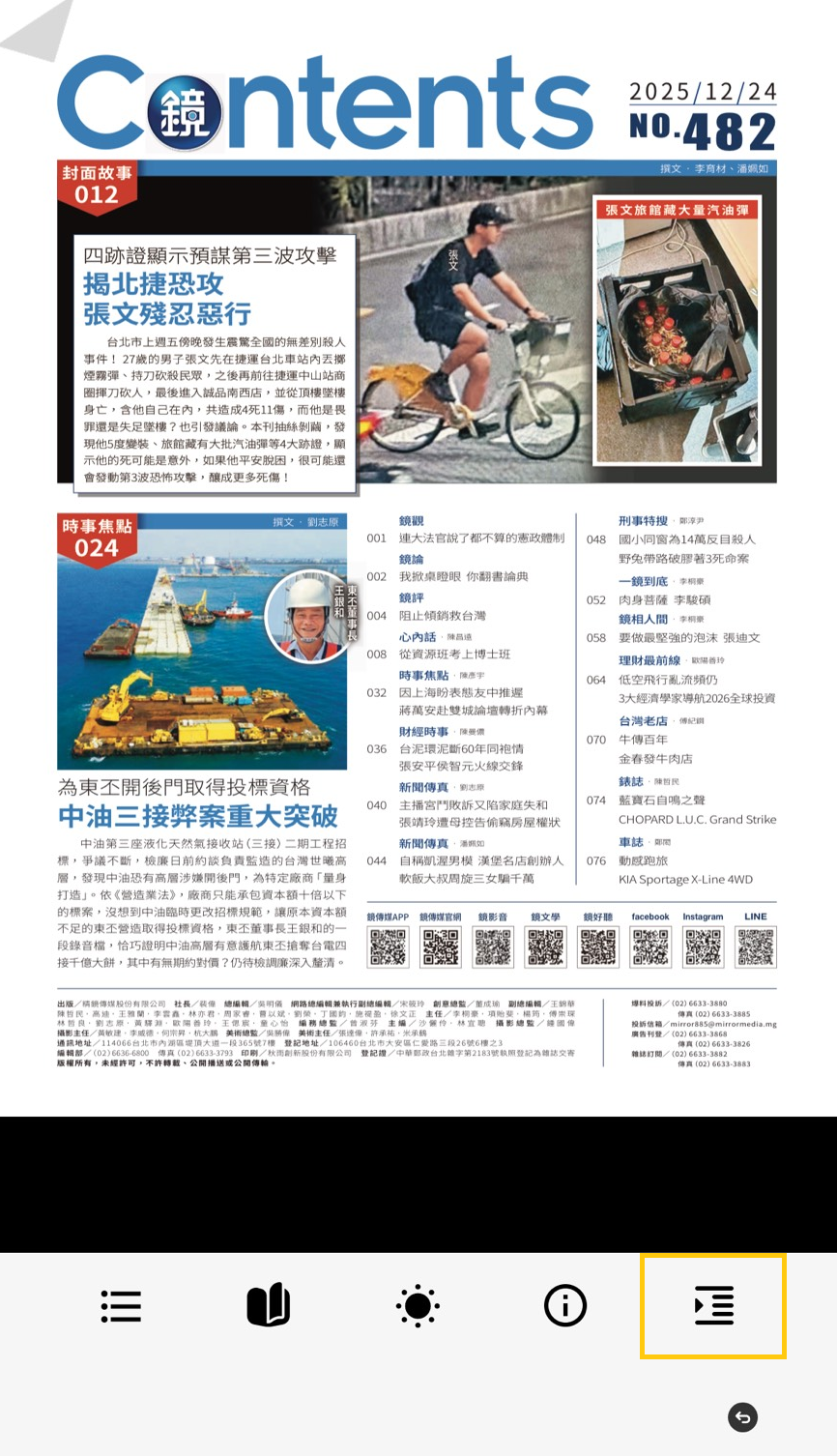
❶請用戶開啟HamiBookAPP，於閱讀中的頁面，點擊頁面，開啟\[工具列]，右下方\[排版設定]圖示

<figure><img src="/files/R1iqswcmhg5pMSxoQpSx" alt="" width="375"><figcaption></figcaption></figure>

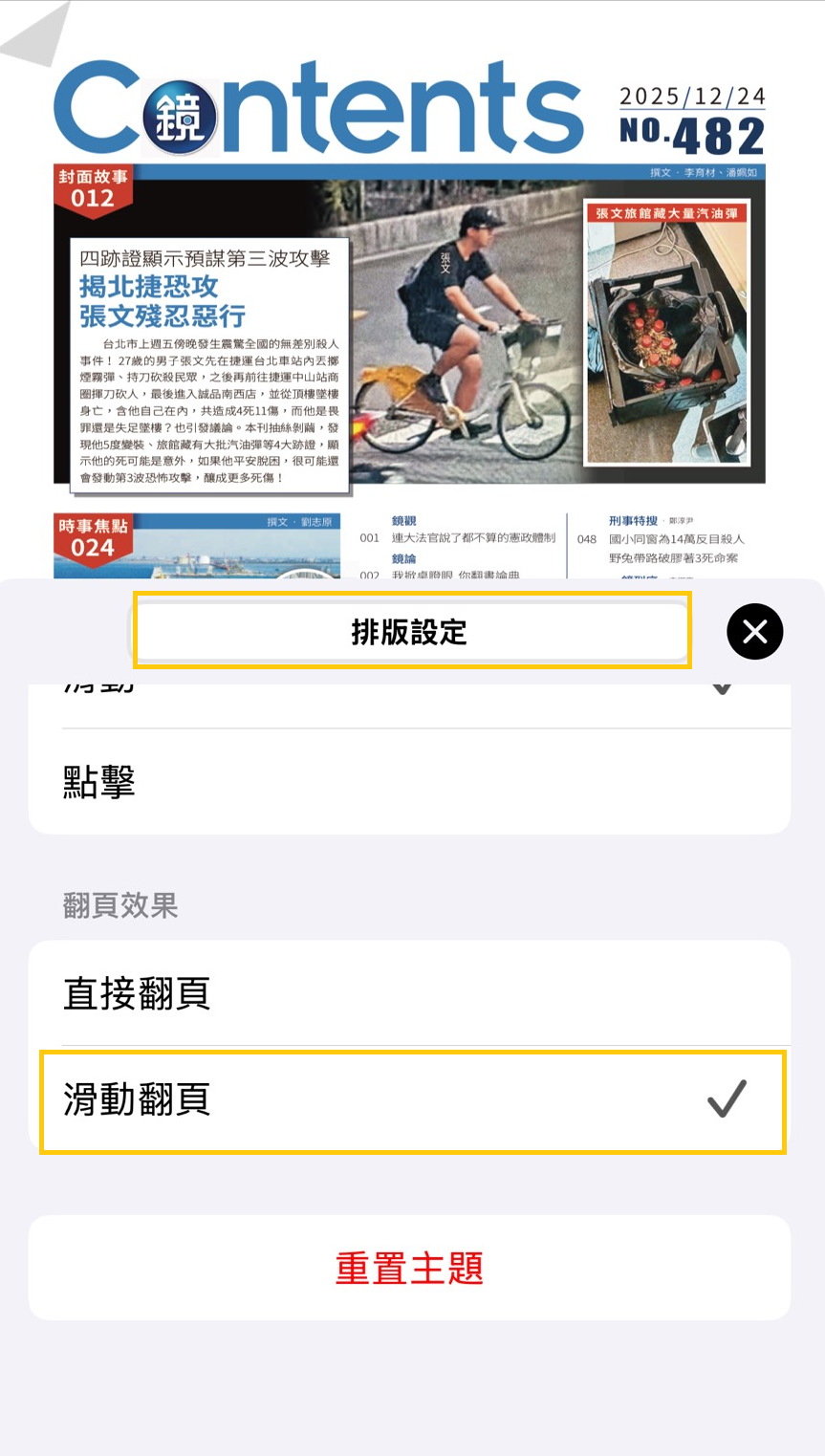
❷滑至此\[排版設定]頁面最下方，將\[翻頁效果]設定勾選為\[滑動翻頁]

<figure><img src="/files/CLkNF8JfQl2Zf4KnYbBw" alt="" width="375"><figcaption></figcaption></figure>

➌設定後，重新開啟書刊/報紙閱讀


---

# Agent Instructions: Querying This Documentation

If you need additional information that is not directly available in this page, you can query the documentation dynamically by asking a question.

Perform an HTTP GET request on the current page URL with the `ask` query parameter:

```
GET https://support.hamibook.com.tw/hamibookapp/ipad-yi-ji-iphone-dan-ye-fang-da-ye-mian-yue-du-fan-ye-she-ding.md?ask=<question>
```

The question should be specific, self-contained, and written in natural language.
The response will contain a direct answer to the question and relevant excerpts and sources from the documentation.

Use this mechanism when the answer is not explicitly present in the current page, you need clarification or additional context, or you want to retrieve related documentation sections.